PanoSphere Studio
Stitch RAW DNG photos into panoramas up to 200 MP
PanoSphere Studio turns overlapping photographs from DJI drones and other compatible cameras into ultra-high-resolution panoramas. The built-in High Precision Engine retains camera-linear color data and exports 16-bit per color DNG images for further RAW editing in up to 200 megapixel resolution. The optional Lightroom Classic Export plugin allows user to seamlessly select a group of images, pass them to PanoSphere and re-import the stitched DNG panorama back into the catalog for further RAW editing.
PanoSphere Studio is compatible with all commonly used image formats.

An intuitive workspace, with the details in view
An intuitive user interface brings your source photographs, live panorama preview, and export controls together in one workspace. The EXIF panel displays capture details such as the camera, exposure, focal length, and GPS coordinates.
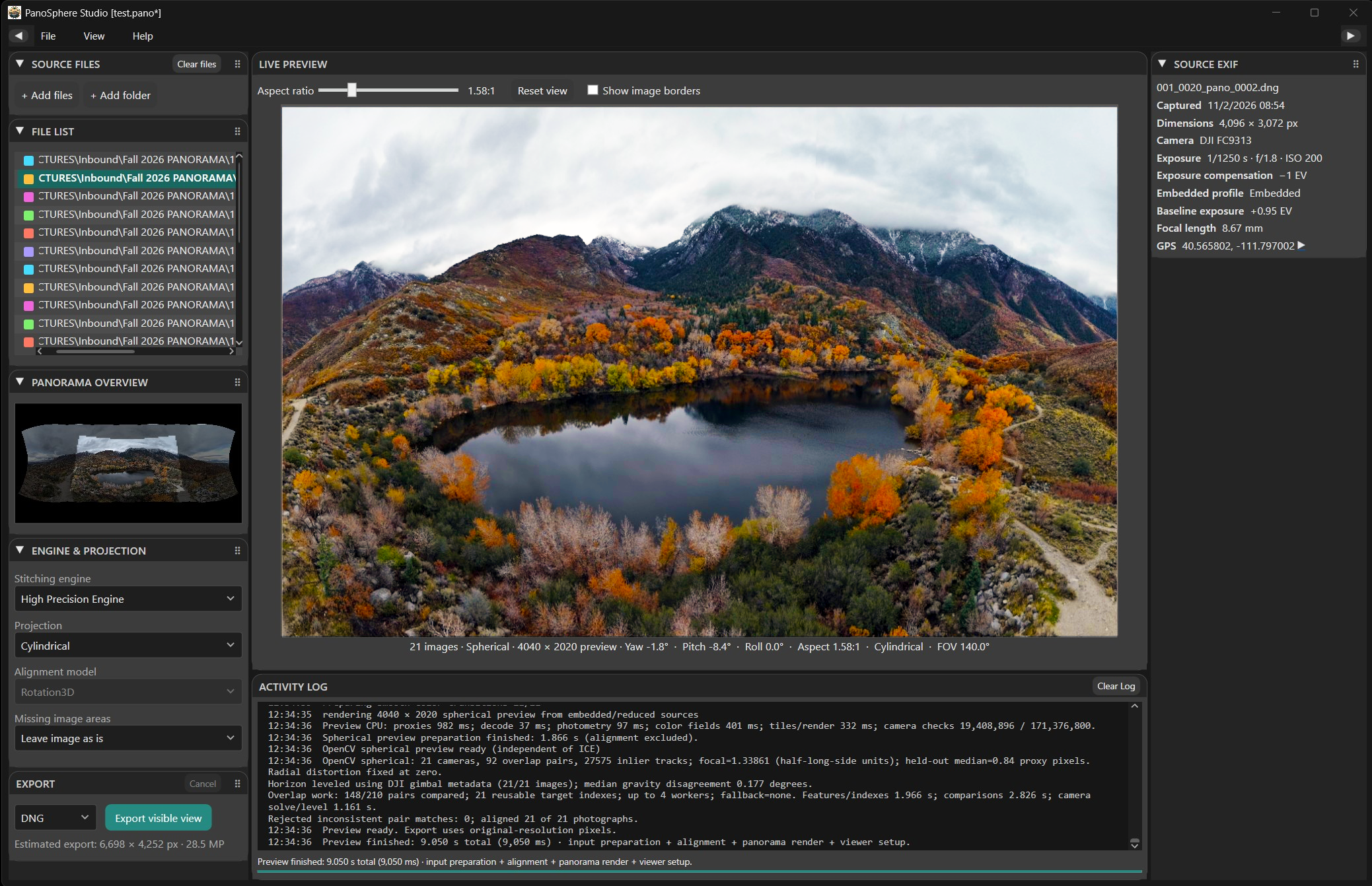
LIVE COMPOSITION
Shape the panorama before you export
Explore the stitched scene in a live preview. Flexible projections, adjustable aspect ratios, and precise framing let you find a composition that suits the photograph—from a broad landscape to a tall view or a little-planet effect.
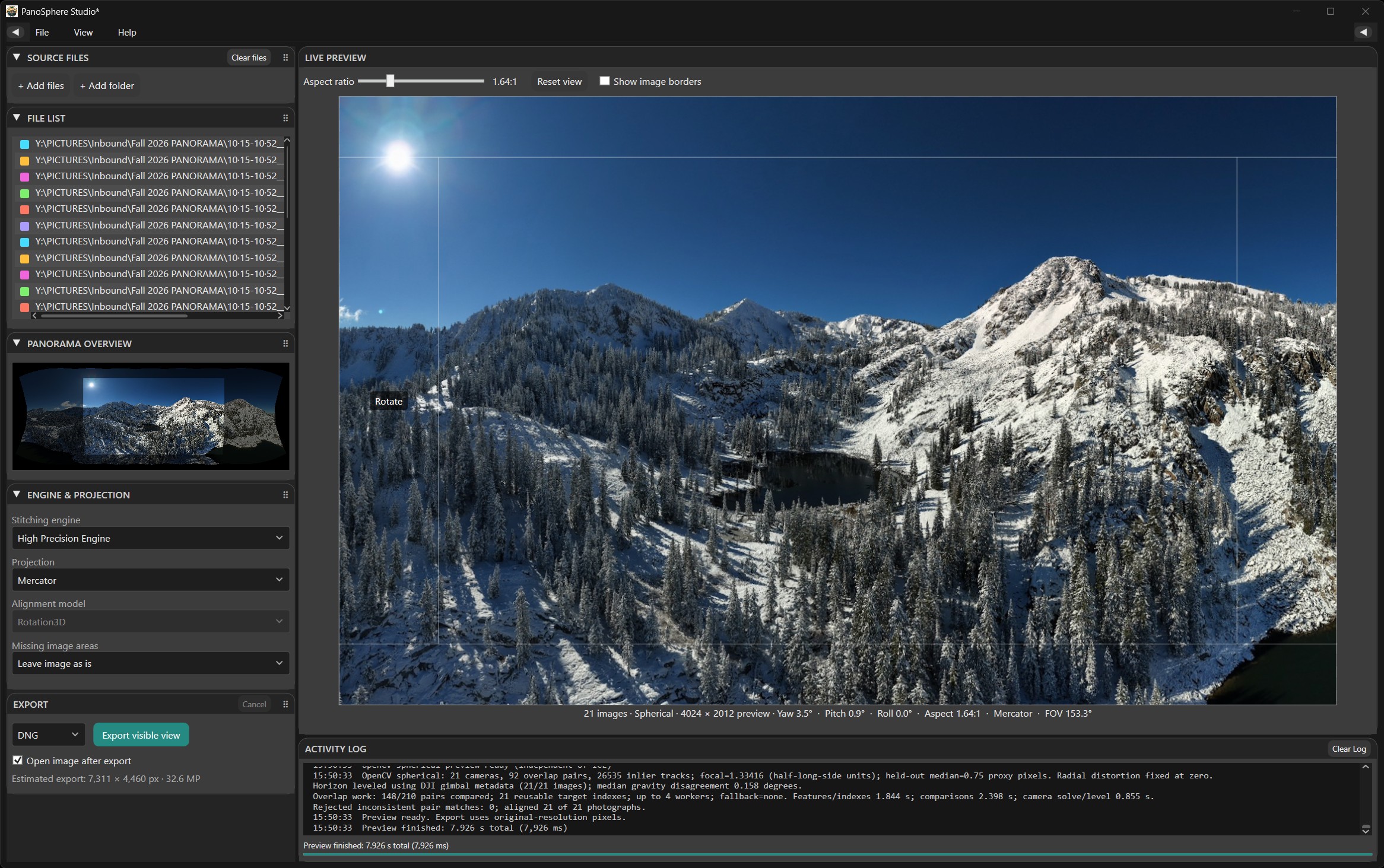
COMPOSITION
Control the final view
Pan, tilt, rotate, and zoom to refine the framing and level the horizon. Optional guides and a full-scene overview help you judge the result.
FLEXIBLE WORKSPACE
Keep the image in focus
Collapsible side panels and movable cards give the panorama room while keeping source information, settings, and export options close at hand.
SOURCE COVERAGE
See how your photographs come together
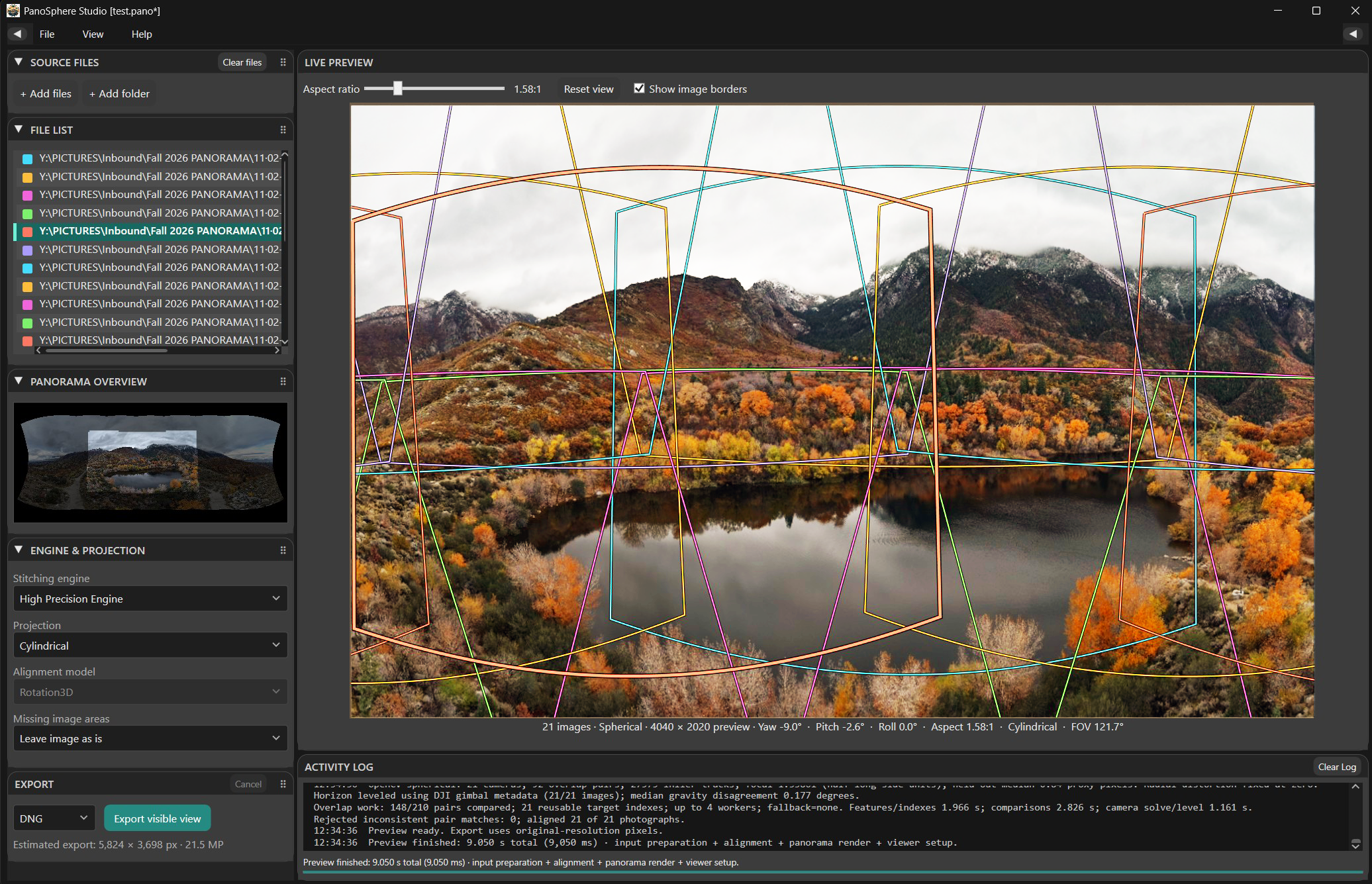
Colored image borders show the coverage and overlap of each source photograph. Matching colors in the File List connect each image to its position in the panorama, making the stitched result easier to inspect.
PROJECTIONS & STITCHING
Creative control, with two stitching engines.
- Projections: Perspective, Cylindrical, Spherical, Mercator, Fisheye, Stereographic, Orthographic, and transverse variants offer different ways to present a wide or tall scene.
- High Precision Engine: The built-in engine supports compatible DNG sources with camera-linear DNG or 16-bit TIFF output. Experimental Sony ARW and Canon CR2 support provides 16-bit TIFF output.
- Microsoft Image Composite Editor: PanoSphere Studio provides a modern user interface for the legacy Microsoft ICE stitching engine. Installing ICE is optional.
READY FOR THE NEXT EDIT
Keep your panorama in a RAW workflow.
Camera-linear DNG preserves values proportional to captured light, along with supported camera color information and capture metadata. Stitching resamples and blends the photographs without applying automatic color or tone rendering to the DNG, leaving the final look to Lightroom Classic, Adobe Camera Raw, or another compatible RAW editor.
Compatible DNG sources can also produce a rendered 16-bit sRGB TIFF. JPEG sources can be exported as JPEG, PNG, or TIFF, with transparency available in PNG and TIFF. Available formats depend on the source images and selected engine.
LIGHTROOM CLASSIC INTEGRATION
From your catalog to a panorama and back.
The included Lightroom Classic plugin sends overlapping DNG originals to PanoSphere Studio for stitching and composition. The exported DNG panorama returns to the catalog for RAW development and can be stacked with its source photographs.