PHOTOGURU MEDIA PLAYER
Give your photos
the presence they deserve.
Your best images deserve more than a passing glance. Bring photos and videos to life on your TV, tablet, or phone with a presentation that gives every collection room to shine.
Your media.
Your presentation.
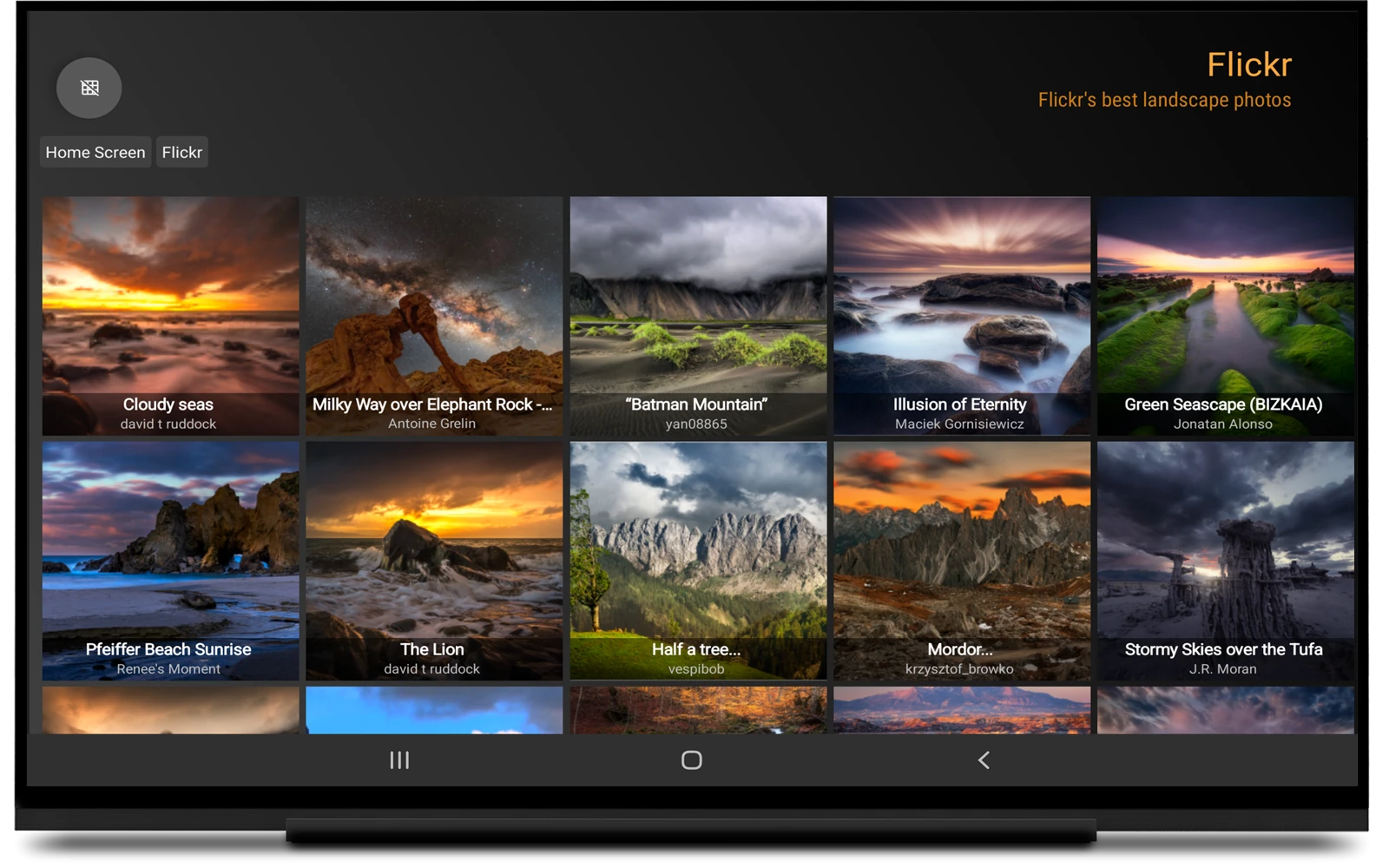
PhotoGuru brings your photo and video collections into one viewing experience. Connect supported cloud services, network storage, and local files, then move from browsing an album to presenting it on the big screen. A family gathering, a photography portfolio, or a visual presentation for your business: choose the collection, set the mood, and let the images take center stage.


PhotoGuru on screen.
Browse on your tablet

EXIF information for professional photographers
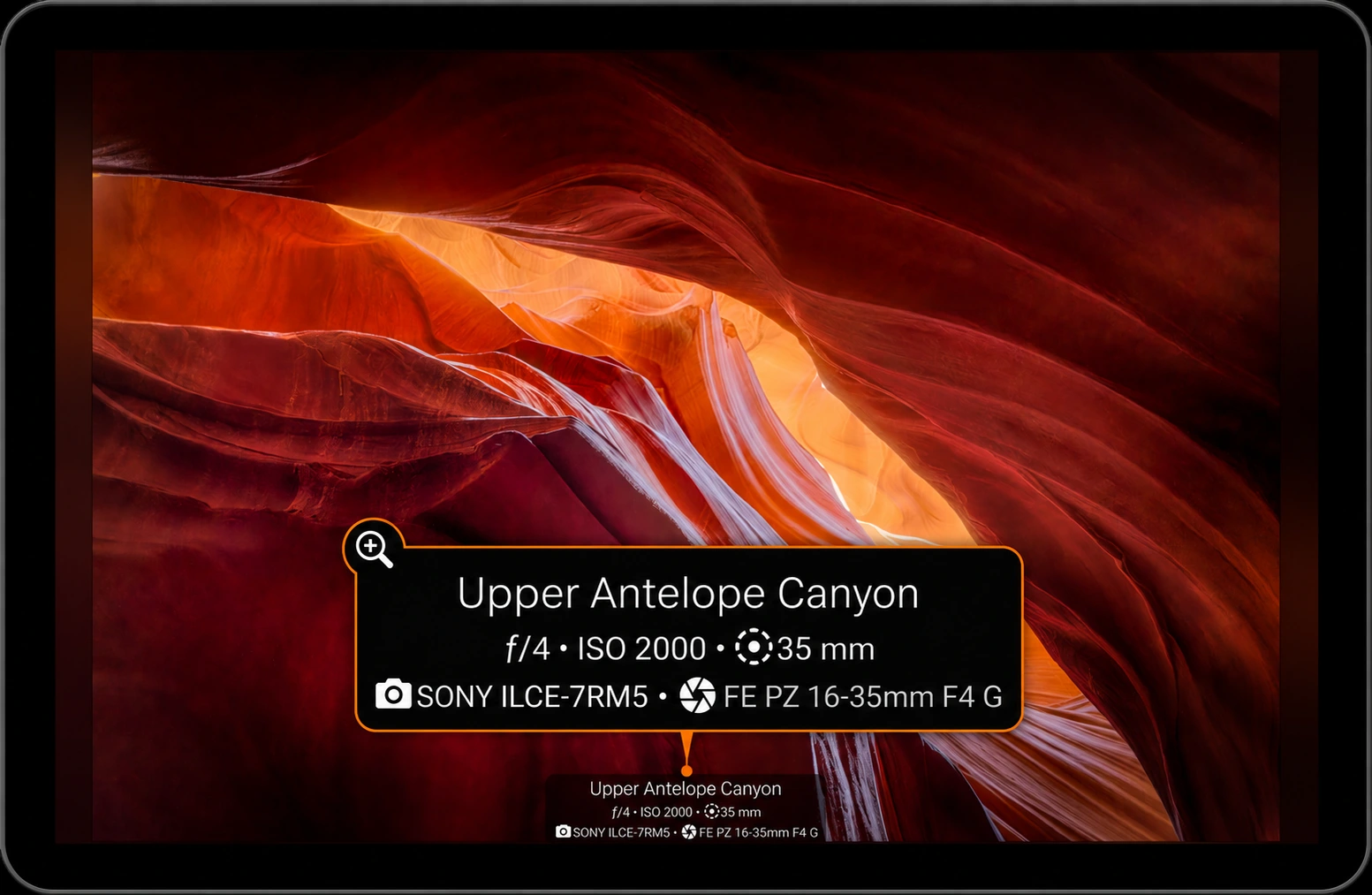
Related images and photo locations

DISPLAY
Designed for TVs
Present your collection on Android TV and Amazon Fire TV. 4K image rendering is available on supported devices; check your hardware and app settings.
PLAYBACK
Photos and videos together
Create slideshows with transitions such as Ken Burns, dissolve, and pan and zoom. Customize playback to suit the collection.
CONTROL
Read-only access
PhotoGuru presents hosted media without changing the source files. Manage and edit your originals in their source service.
A SCREEN WITH A PURPOSE
At home. In your studio.
In front of your audience.

Put your existing collection to work in the setting that matters to you.
PERSONAL
Bring memories into the room
Let family photos, travel albums, and favorite video clips become part of the time you spend together. Choose a collection for a gathering or enjoy a slideshow while relaxing at home.
PHOTOGRAPHY
Showcase your photography
Turn your TV into a gallery for your best work. Present a curated portfolio to clients, welcome visitors into your studio, or explore every detail of your photographs on a larger screen.
BUSINESS
Give your space a visual voice
Use a collection of photos and videos to introduce your work, show products, or add visual interest to an office or storefront. Shape the presentation around your material and your audience.
The presentation
is part of the picture.
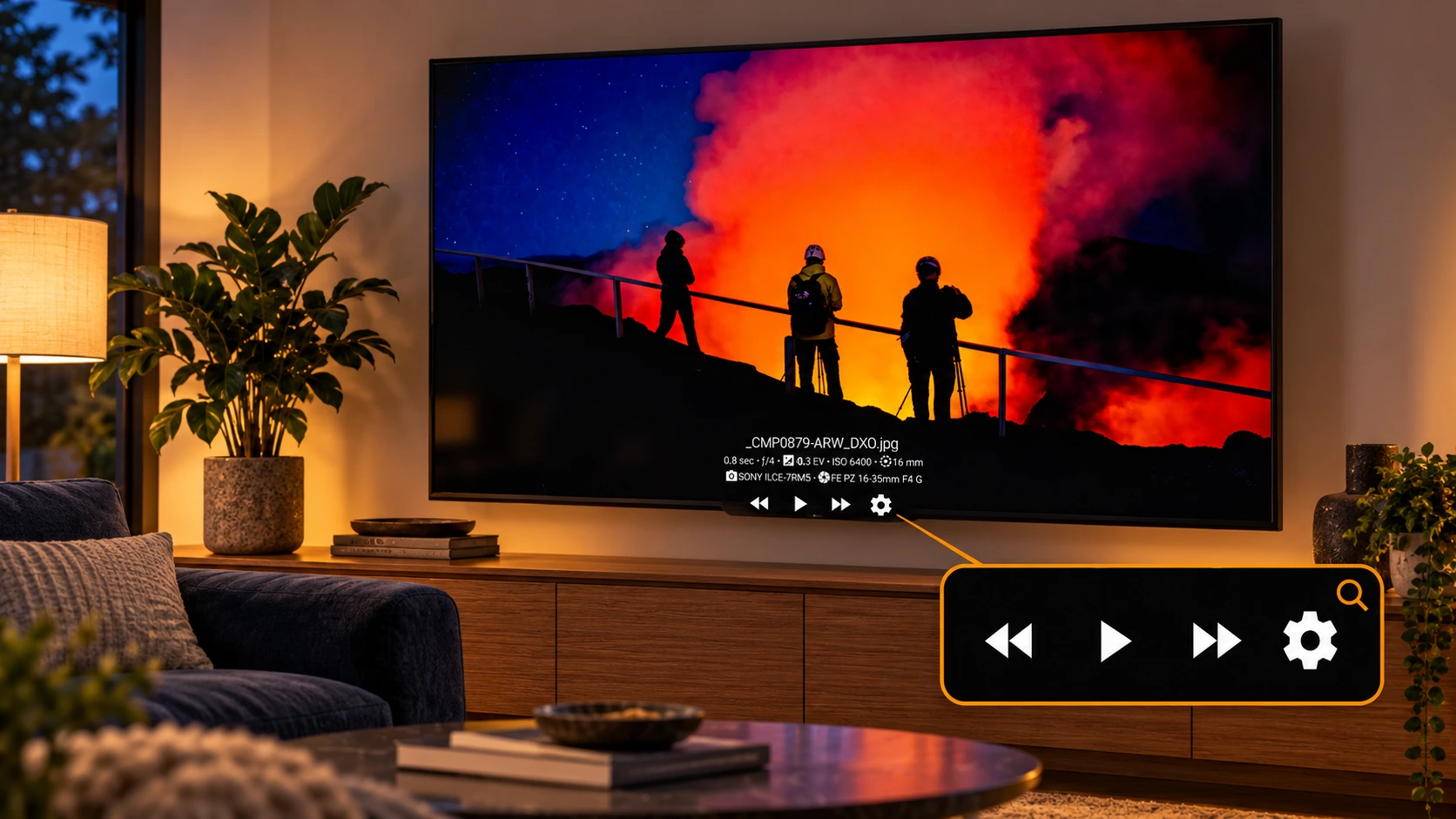
The way images move across a screen changes how a collection feels. PhotoGuru gives you control over the details: transition styles, animation speed, frames, playback order, and the information shown alongside your photographs.
Keep the pace calm for a collection of landscapes. Choose a more lively transition for an event album. Browse manually when you want to talk through individual images, or use automatic playback when the collection should speak for itself.
- Movement with intention: Explore Ken Burns, dissolve, and pan-and-zoom transitions.
- Photos and videos in one presentation: Include both types of media in your collection, subject to your device’s playback support.
- Context when you want it: Display filenames, captions, and available EXIF information.
- Control from your seat: Navigate with a TV remote or touch gestures on a phone or tablet.
From your pocket to the big screen.
Enjoy your collection on Android TV, Amazon Fire TV, Android phones, and tablets. Browse photos on your phone, explore an album on your tablet, or bring everyone together for a slideshow on the TV. PhotoGuru gives you the freedom to choose how—and where—you enjoy your photos and videos.
IMAGE QUALITY
Show every detail in stunning 4K.
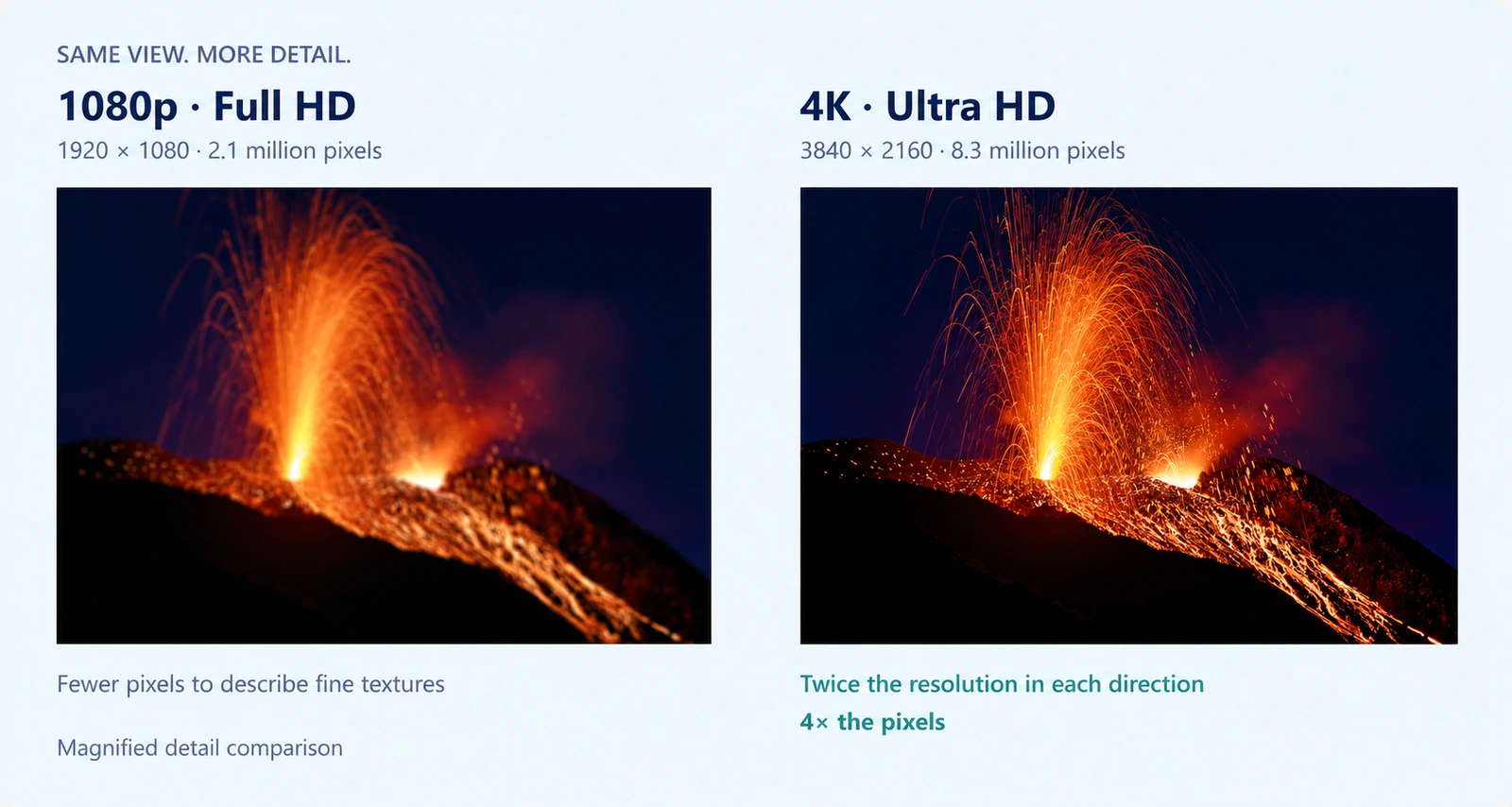
On supported hardware, 4K/UHD image rendering gives high-resolution photographs room to show their detail. Available resolution depends on the device, display, and app settings.
FROM INSTALLATION TO PRESENTATION
Your first slideshow
in 3 easy steps.
01
Install PhotoGuru
Get the app from Google Play or Amazon on your supported device.
02
Connect your media
Open Add Folders and follow the in-app instructions for your chosen source.
03
Make it yours
Browse a collection, choose playback settings, and start your slideshow.
Bring your media together.
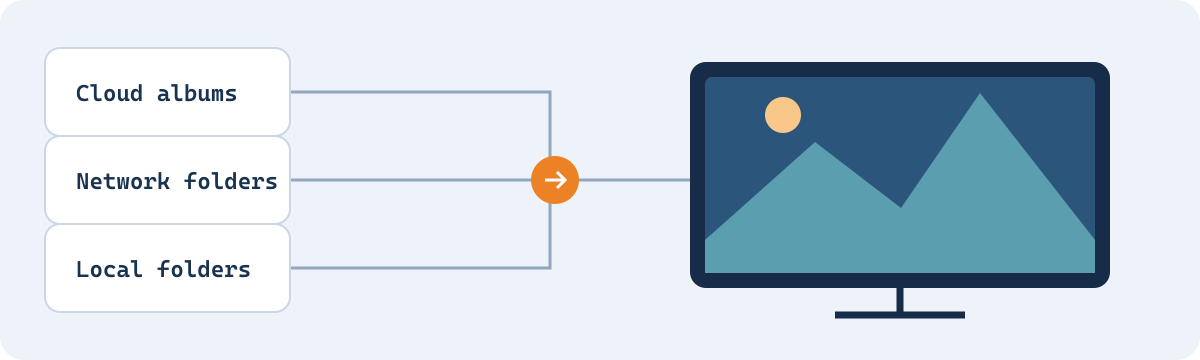
From cloud albums and network folders to USB storage, PhotoGuru brings supported sources and familiar photo and video formats into one viewing experience.
Connect your sources
Supported sources include the following. Check the current app for available providers and authentication requirements.
Cloud services

Dropbox

Flickr

Microsoft OneDrive

SmugMug

Zenfolio
Local & network storage

Local files

USB storage

Windows / Samba / CIFS
Media servers & remote access

UPnP / DLNA

WebDAV
Looking for a particular provider? Ask us before subscribing.
Play familiar formats
PhotoGuru supports familiar image and video formats, so photographs and video clips can take their place in the same viewing experience.
- Images: JPEG, GIF, PNG, and BMP.
- Videos: MP4, 3GP, MKV, MOV, and 3G2.
- Video playback: Use PhotoGuru’s built-in player or choose an external player such as VLC or MXPlayer.
Actual video playback depends on the codec, device capabilities, and selected player. Check a representative file on your device when planning a presentation.
Share the view.
Keep control of the originals.
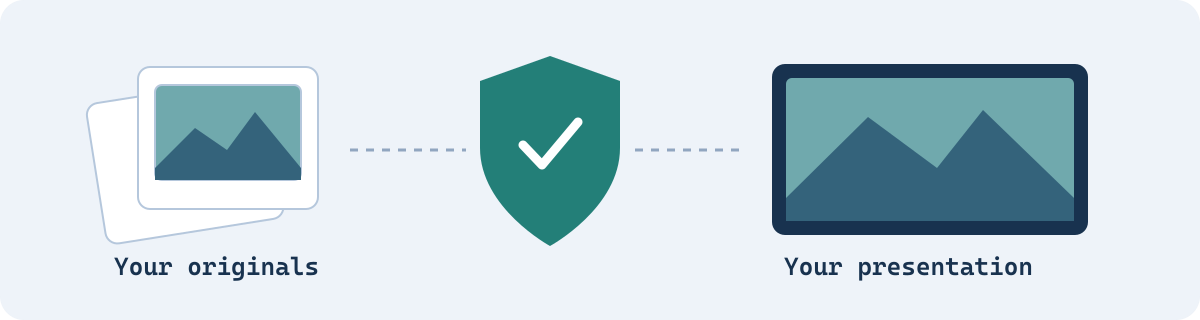
PhotoGuru’s read-only access is especially useful when you want clients, friends, or family to enjoy hosted media without modifying the originals. Use it to present a portfolio, show an album, or bring a selected collection to a shared screen.
Your original photos and videos remain managed in their source service. PhotoGuru concentrates on browsing and presentation, keeping the viewing experience distinct from editing and library management.
An interface
in your language.
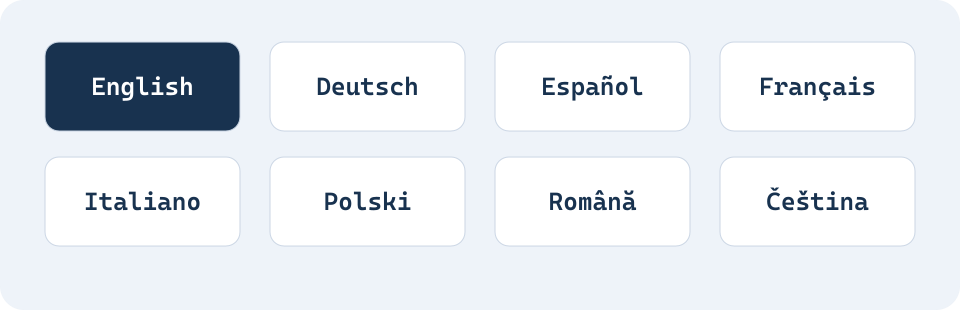
PhotoGuru’s interface supports English, German, Spanish, French, Italian, Polish, Romanian, and Czech. The English manual, FAQ, and German manual provide additional guidance for setup and use.
Whether you use PhotoGuru on a phone, tablet, or television, the aim is the same: straightforward access to your collection and a presentation that feels at home on your screen.
KEEP THE FOCUS ON YOUR MEDIA
Your photographs.
Without advertising interruptions.
PhotoGuru is ad-free. The presentation stays centered on the photos and videos you have chosen, whether you are sharing memories at home, presenting your work in a studio, or displaying a collection in your business.
A subscription removes the trial message and helps fund continued development and testing on new hardware. Review the current plans and billing terms in the app before purchase.
One download.
A subscription that supports it.
Install PhotoGuru through Google Play or Amazon. A subscription removes the trial message and supports continued development. Current prices, billing periods, and renewal terms are shown in the app before purchase.
Manage your subscription through the store account used to purchase it. If you use devices from both stores, contact support about your setup.
Get the most from PhotoGuru.
START
Read the manual
Find folder setup, playback, settings, and advanced integration instructions.
ANSWERS
Browse the FAQ
Troubleshoot playback, folder navigation, and subscription questions.
SUPPORT
Talk to the developer
Send your app version, device details, and a description of the issue.